Report sickness clearly. Support the return to work.
Record sickness as it happens, give the assigned manager a clear next action and keep fit notes and return-to-work detail within the right permissions.
Free for up to 10 active employees. No card. No trial clock.
- Dedicated sickness reporting
- Restricted fit-note evidence
- Return-to-work follow-up

What is sickness absence tracking software?
Sickness absence tracking software records when somebody cannot work because they are unwell and helps the right people manage the follow-up. HollyHR has a dedicated report-sickness flow for current, retrospective and ongoing absence, with manager and HR recording on behalf where permission allows.
A sickness record is created immediately, with no approval or decline decision. The assigned manager receives a content-neutral in-app notification, while self-certification, fit notes and return-to-work detail sit behind separate permissions.
For small UK teams that need a clear sickness record, manager follow-up and restricted evidence.
Keep the absence and follow-up connected
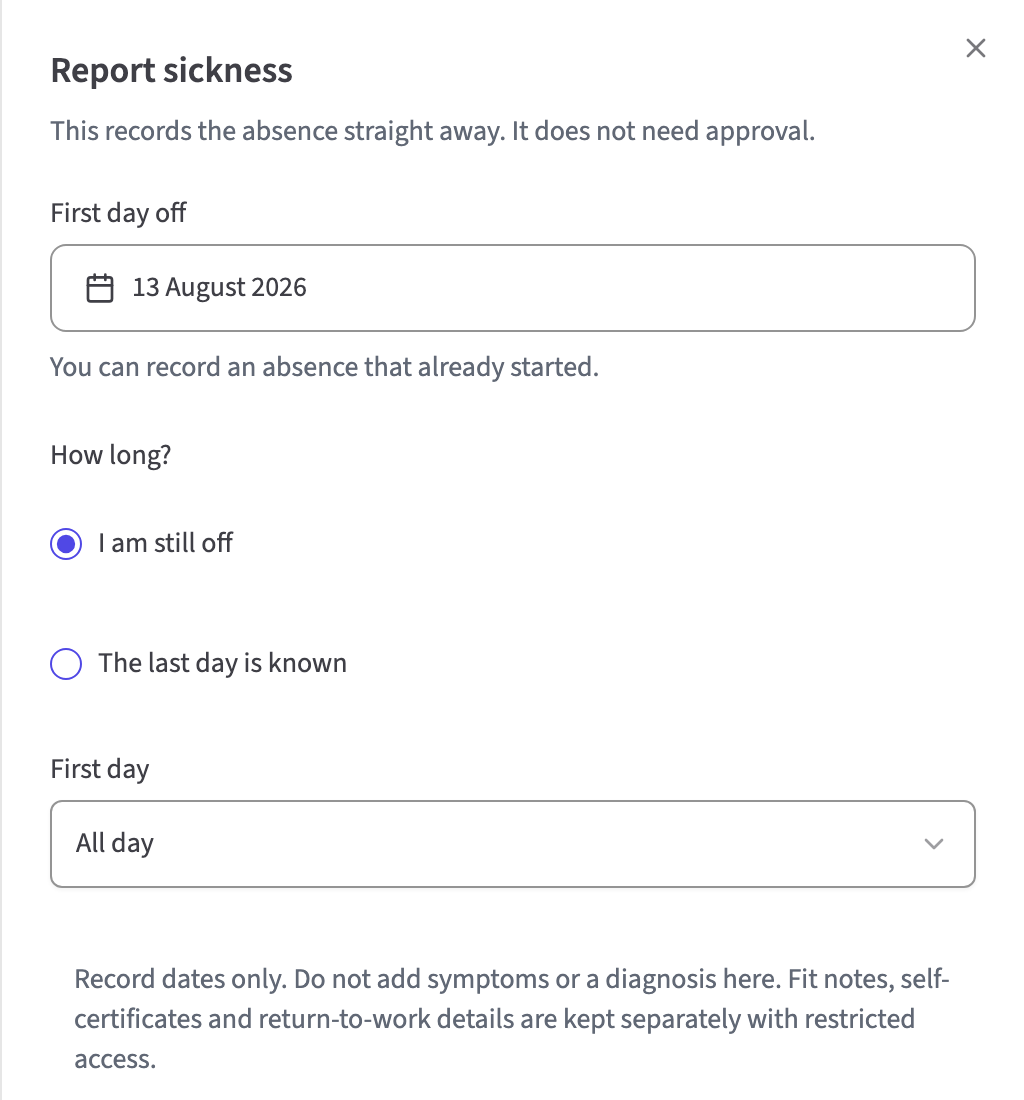
Record the absence without an approval step
An employee can report for themselves, while managers and authorised HR roles can record on behalf of people they support. Add whole or half days, a known end date or an ongoing absence.
- Current, retrospective and ongoing absence
- Whole-day and half-day reporting
- Immediate record with no approve or decline decision
Put the next step in front of the manager
A content-neutral in-app notification links the assigned manager to the record. The workspace groups people currently off, returns to confirm and follow-up that needs attention.
- Content-neutral manager notification
- Current absence and return status
- No restricted evidence in the operational workspace
Keep the return and agreed follow-up clear
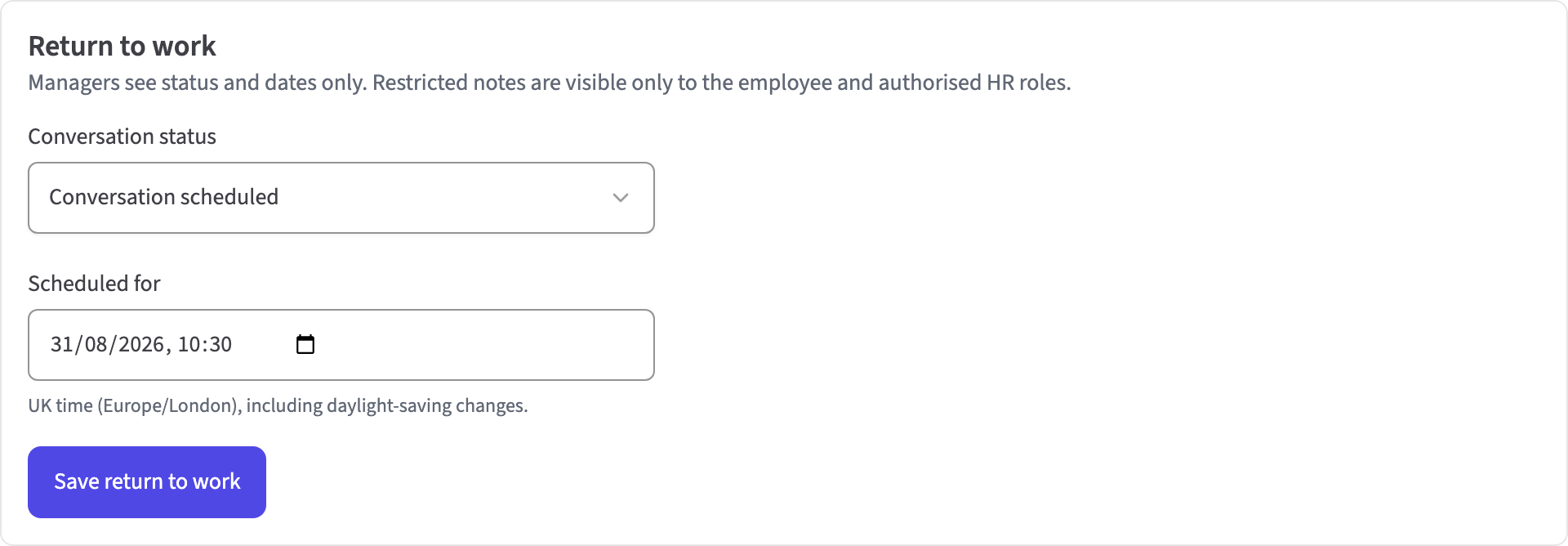
Track return-to-work status, dates and review points. Separately authorised people can record conversation notes, agreed adjustments and phased-return details.
- Return-to-work status and dates
- Agreed adjustments and phased return
- Review dates for the next conversation
The sickness record from report to return
Reporting
- Self, manager and authorised HR reporting
- Whole-day and half-day absence
- Known end date or still-off status
Evidence and return
- Self-certification and fit notes
- Day-eight fit-note guidance
- Return-to-work status and agreed adjustments
Review
- Role-specific next actions
- Working-pattern-aware absence rate
- Authorised raw Bradford views
Support a fair sickness process
Questions about sickness absence
How do you record staff sickness in HollyHR?
Open Sickness and choose Report sickness. Add the first day, a known end date or Still off, and choose a whole or half day. The record is created immediately rather than sent for approval.
Will the employee's manager be notified?
Yes. HollyHR sends the assigned manager a content-neutral in-app notification when somebody else records the absence. The notification links to the record without including health evidence.
Does sick leave reduce somebody's holiday allowance?
Not with HollyHR's default Sick Leave category. It is set not to use holiday balance and to count as unplanned absence. An administrator can change the category settings, so the exact rule follows your organisation's setup.
Who can see sickness evidence?
Fit notes, self-certification and related health details require separate permission and an enabled health-data decision. Operational managers can follow dates and return-to-work actions without receiving restricted evidence.
Does HollyHR support fit notes and return-to-work records?
Yes. Authorised users can add fit-note coverage and use day-eight fit-note guidance. The return-to-work record can hold status, dates, conversation notes, agreed adjustments and phased-return information.
Which sickness reports are included?
Authorised users can review days lost, trends, department totals, average duration and a working-pattern-aware absence rate. HR and System Admin reporting also includes raw Bradford scores without judgement bands.
Does HollyHR calculate the Bradford Factor?
Yes. HR and System Admins can view raw Bradford scores over the last quarter, six months or twelve months for configured unplanned-absence categories. HollyHR does not add judgement bands or make employment decisions from the score.
Does HollyHR calculate sick pay or expose sickness records through the API?
No. HollyHR includes no SSP or company sick-pay calculation, and there is no public API for the dedicated sickness case, restricted evidence or return-to-work health records.
Start free with up to 10 active employees.
Bring your team over from a spreadsheet. There is no card, no sales call and no lock-in. For up to 10 active employees, everyday HR is free.