Time off, without the spreadsheet
Book and approve whole or half days, keep part-time balances clear and plan cover without sharing private leave details.
Free for up to 10 active employees. No card. No trial clock.
- Whole and half days
- Working-pattern-aware balances
- UK public holiday calendars

What does HollyHR time off software do?
HollyHR keeps leave requests, balances and team availability together. It uses the policies, working patterns and UK public holiday calendars you set, while keeping leave reasons and notes out of the shared team view.
For small UK teams replacing a holiday spreadsheet. HollyHR does not provide rotas or calculate holiday pay.
From booking to the team calendar
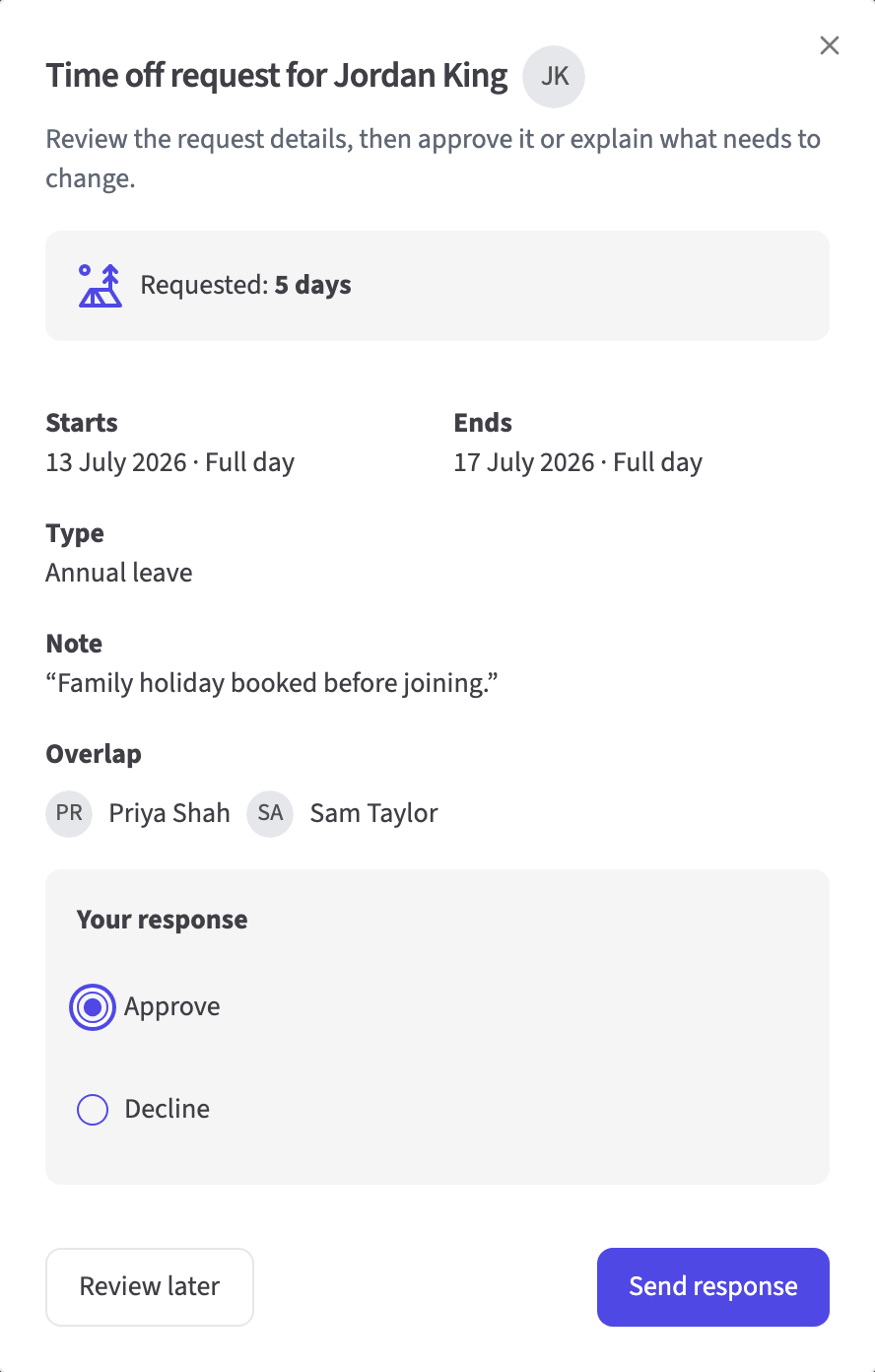
See the balance and clashes before you approve
Employees choose the dates and day length. An assigned manager sees the request, remaining balance, public holidays and approved overlap before deciding. If no manager is assigned, the request is approved automatically.
- Whole-day and half-day requests
- Requests go to the assigned manager
- Approved overlap visible to the decision-maker
Keep part-time balances clear
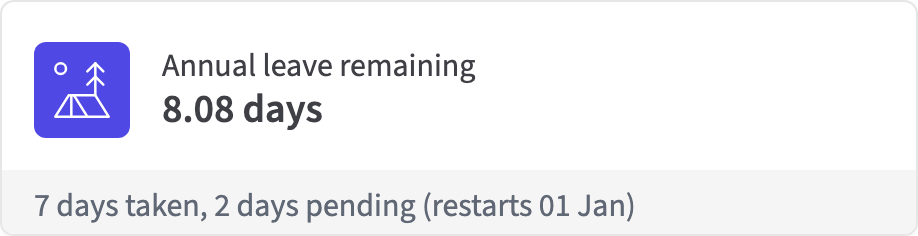
HollyHR uses the working pattern, leave policy and public holiday calendar recorded for each person. Pending and approved bookings remain visible alongside the remaining balance.
- Person-specific working patterns
- Allowance and bookings shown together
- Allowance can use the recorded full-time equivalent (FTE)
See who is away, without the private detail
Approved leave appears in Who's Away. Colleagues can plan around an absence without seeing the leave type, notes or other private information.
- Approved leave only
- Shared view hides leave type and notes
- Personal and permitted organisation iCalendar feeds

Time off essentials
Requests
- Whole and half days
- Optional employee note
- Assigned-manager decision or automatic approval when no manager is assigned
Balances
- Pending, approved and remaining amounts
- Working patterns and recorded FTE
- Configured UK public holiday calendars
Planning and reports
- Who's Away without leave types or notes
- iCalendar subscriptions
- Role-limited CSV and PDF reports
Useful tools and guidance
Questions about time off
How do time off requests and approvals work?
Employees choose whole or half days, the dates, leave type and an optional note. If an assigned manager exists, that manager reviews the request with the balance and approved overlap in view. If no manager is assigned, HollyHR approves the request automatically.
Does HollyHR work for part-time employees?
Yes. HollyHR uses each person's recorded working pattern when it calculates a request. If you record contracted hours and full-time equivalent (FTE), HollyHR can also use the FTE to work out that person's allowance.
Does Holly calculate statutory holiday entitlement?
Holly tracks leave using the policies, working patterns and employment details you set. It does not calculate holiday pay or replace payroll, legal advice or your responsibility to check statutory entitlement.
What can managers and colleagues see?
The assigned manager sees the request, balance and any approved overlap. Colleagues only see that someone is away in the shared view; the leave type and notes stay private.
Can I report on or export time off?
Yes. Reports include time off totals and breakdowns by category, month and department, with CSV and PDF export. Reports that identify people are limited to the appropriate HR and System Admin roles.
Leave the holiday spreadsheet behind
Set up requests, balances and Who's Away alongside your people records.