See who's away. Keep the reason private.
Check approved time away, non-working days and public holidays in one clear view. Find the people you need and plan the week without sharing private leave details.
Free for up to 10 active employees. No card. No trial clock.
- Approved absences only
- Absence reasons stay private
- Working patterns and public holidays

What is a Who's Away calendar?
A Who's Away calendar is a shared view of approved staff absence. HollyHR shows active colleagues on a rolling ten-day timeline, alongside their working patterns and applicable public holidays, so your team can plan meetings and cover without revealing why somebody is away.
The view uses leave already approved in HollyHR. Search by name, filter the people shown and move to the dates you need, while the request details remain in the private time-off workflow.
For small teams that need a shared absence view without sharing private leave details.
See the right people and dates
Find the people you need
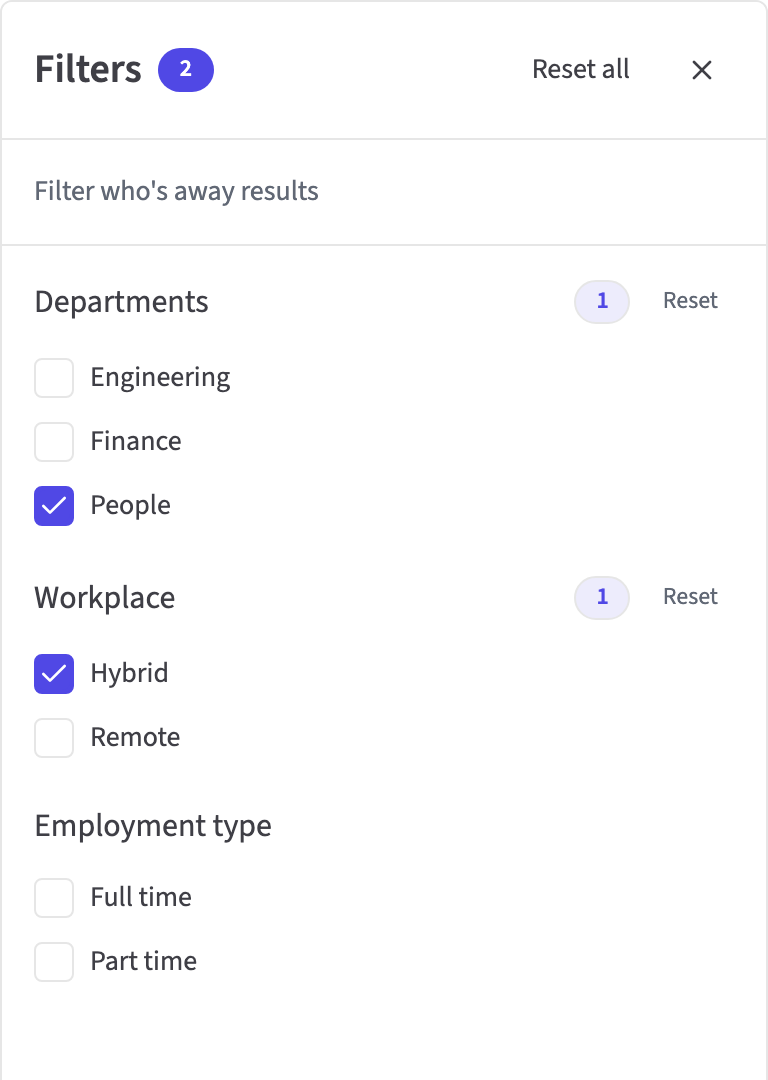
Search by name or narrow the active team by department, workplace and employment type. The filter options come from current employee profiles.
- Name search
- Department, workplace and employment type filters
- No absence-type filter or private leave detail
Keep approved absence in your calendar
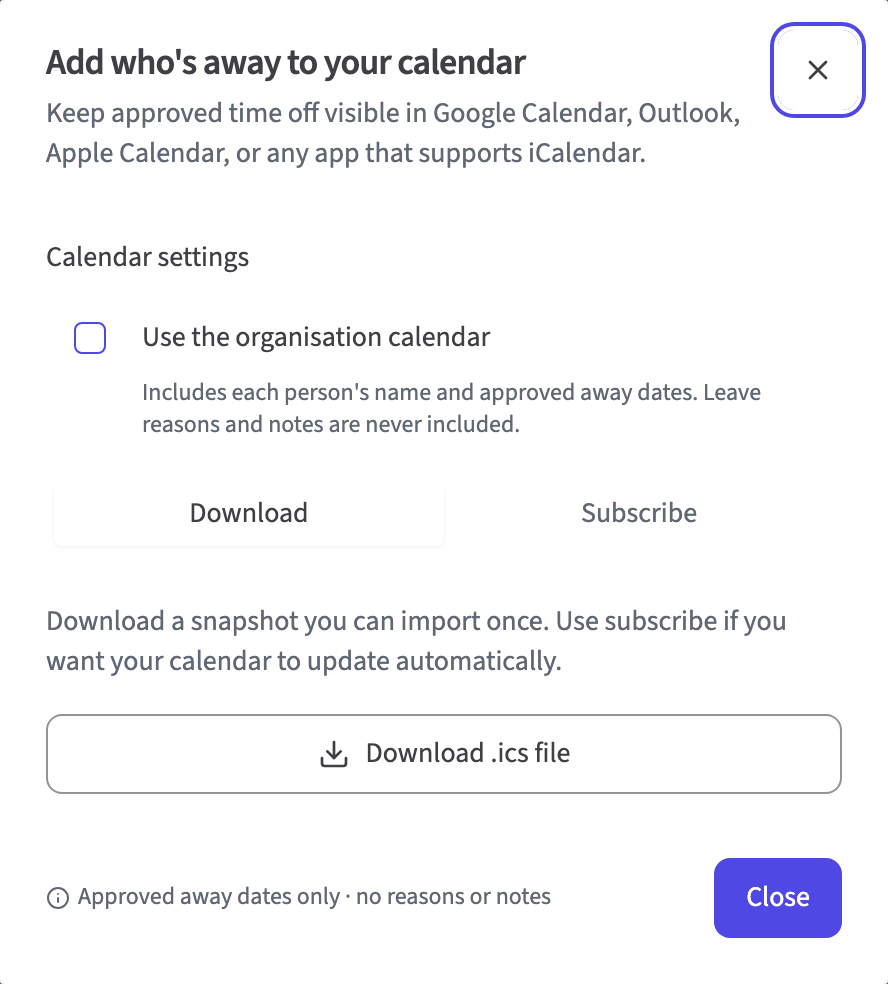
Create a personal iCalendar subscription for your own approved time away. People with organisation-wide time-off permission can also create a neutral team feed.
- One-way iCalendar subscriptions
- Personal feed for every active member
- Permission-based organisation feed
Share availability, not the reason
The team sees a neutral Away label for approved absence. Leave categories, notes and request details remain in the authorised time-off workflow.
- Approved absence only
- Leave categories and notes stay restricted
- Access to subscribed feeds is checked again on each request
A focused view of team availability
Shared view
- Rolling ten-day calendar
- Full-day and partial-day absence
- Previous, next and date-picker controls
Working context
- Regular non-working days
- Applicable public holidays
- Name and profile filters
Calendar access
- Personal approved-absence feed
- Permission-based organisation feed
- Subscription links revoked during offboarding
Plan leave with confidence
Questions about Who's Away
Does Who's Away show only approved leave?
Yes. The shared view and its calendar feeds use approved absence presence only. Pending, rejected and cancelled requests remain in the private time-off workflow and are not shown as team availability.
Can colleagues see why somebody is away?
No. Colleagues see the person's name, the date and a neutral Away label. Leave categories, notes and workflow details stay in the authorised time-off screens.
How far ahead does the calendar show?
HollyHR shows ten consecutive days at a time. Use the previous, next or date-picker controls to move the rolling ten-day window to the dates you want to check.
Which filters can I use?
You can search by name and filter active colleagues by department, workplace and employment type. HollyHR does not include an absence-type filter because that would reveal private leave information.
Does it account for part-time patterns and public holidays?
Yes. The view uses each person's working pattern, so a regular non-working day is not shown as absence, and keeps the applicable public-holiday markers with the right person.
Can I add it to Google Calendar or Outlook?
Yes. You can create a one-way iCalendar subscription for a compatible calendar service. Every active member can create a personal feed, while an organisation feed requires organisation-wide time-off permission.
What happens to a calendar link when somebody leaves?
HollyHR checks the link owner's active membership and permission whenever a subscribed calendar asks for events. Offboarding revokes that person's subscription links, and a current member can rotate a feed link when needed.
Does Who's Away plan rotas or assign cover?
No. Who's Away shows approved absence without revealing its type. It does not schedule shifts, track attendance, assign cover or replace a rota and time-and-attendance product.
Start free with up to 10 active employees.
Bring your team over from a spreadsheet. There is no card, no sales call and no lock-in. For up to 10 active employees, everyday HR is free.